
Chapter 5 of 143 topics
Download Map Data
- Go to the 'Map Data' tab, select the map data package you want to download, and tap 'Download'.
- If you're not on Wi-Fi, the app will remind you that mobile data charges may apply; it will only download after you confirm.
- Upon completion, the download will verify file integrity; if the download fails, tap 'Retry' to resume from where it stopped.
- After downloading, tap 'Activate Offline Map'.
- Map data marked 'Free to Download' can be downloaded directly; full-version map data marked as subscription-required requires upgrading to the full version.
- 'Open Web Map Directory' will open the Offline Map Download Page to view all map data packages and license details.
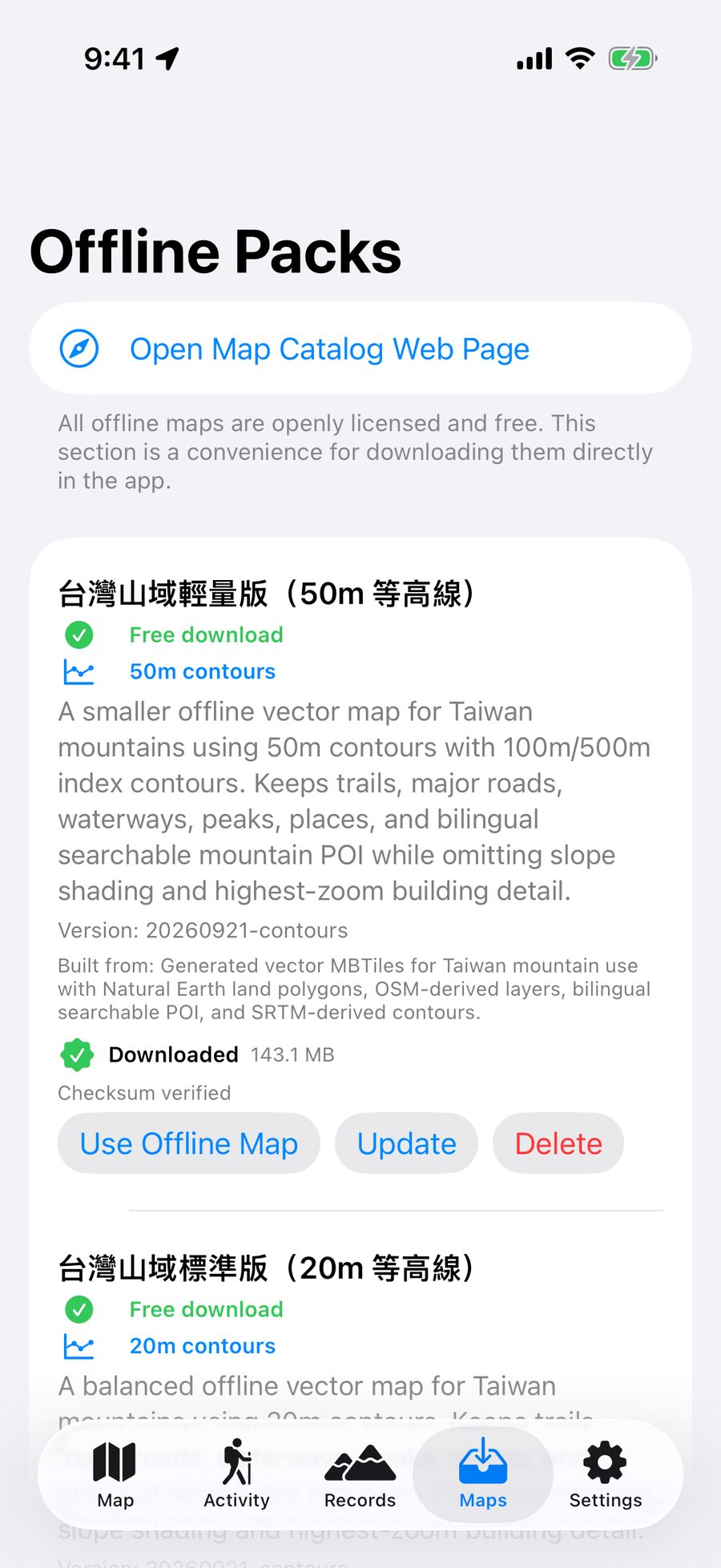
Choose Contour Line Density
| Version | Suitable Scenarios | File Size |
|---|---|---|
| 50m Contour Lines (Lite Version) | General routes, limited phone storage. | Approx. 144 MB |
| 20m Contour Lines (Standard Version) | Balances file size and terrain detail; the top choice for most users. | Approx. 198 MB |
| 10m Contour Lines (High Density Version) | Routes requiring detailed terrain interpretation. | Approx. 294 MB |
50m Contour Lines (Lite Version)
Suitable Scenarios:General routes, limited phone storage.
File Size:Approx. 144 MB
20m Contour Lines (Standard Version)
Suitable Scenarios:Balances file size and terrain detail; the top choice for most users.
File Size:Approx. 198 MB
10m Contour Lines (High Density Version)
Suitable Scenarios:Routes requiring detailed terrain interpretation.
File Size:Approx. 294 MB
Activate and Deactivate
- Once activated, the map tab will prioritize using that map data; the 'Pre-Departure Check' in the information panel will show 'Offline Map Data: Activated'.
- When you need to switch map data, first 'Deactivate' and then activate another package.
- Saving multiple map data packages simultaneously (for example, different regions) is a full-version feature.
- When a new version is available, the map data card will display 'New version available for update'; tap 'Update' to download. Map data you no longer need can be deleted by tapping 'Delete' to free up space.

Need an answer? Visit Support & FAQ. The guide follows the latest app version; screens may differ.