
Tracks and Routes
The tabs at the top switch between Tracks & Routes, Photos and Voice. The first tab is a table of name, date, distance, ascent, descent and points; a badge tells “Recorded” (tracks recorded on the iPhone) from “Imported” (imported GPX and similar routes).
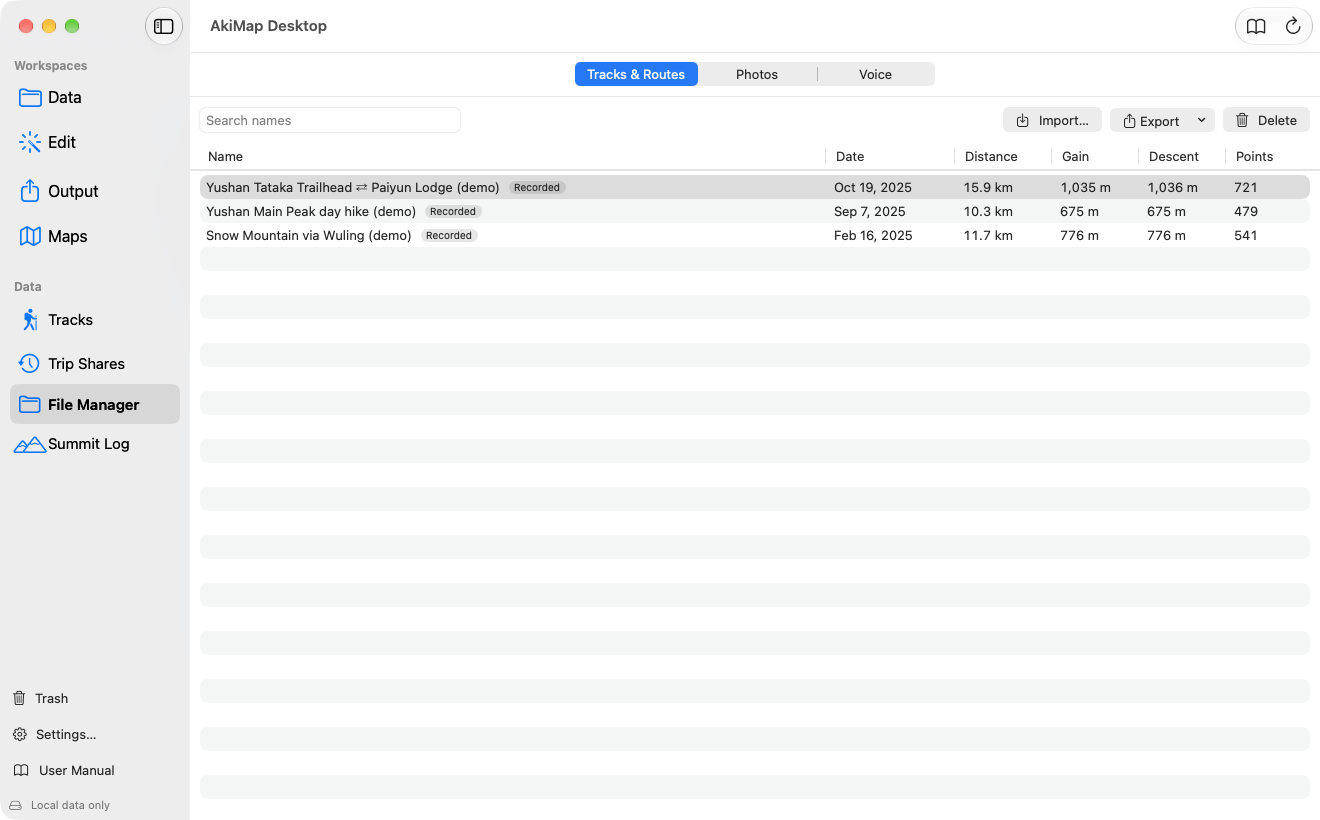
- 1Switch between Tracks & Routes, Photos and Voice.
- 2Search by name.
- 3Import files or a folder.
- 4Export the selection.
- 5Delete (moves to the Trash).
Importing
Click “Import…” and choose GPX, TCX, FIT, KML or KMZ files, or pick a folder to import every supported file in it. Each file may be up to 64 MB. When finished, the app tells you how many routes were imported and lists any files that failed.
Exporting
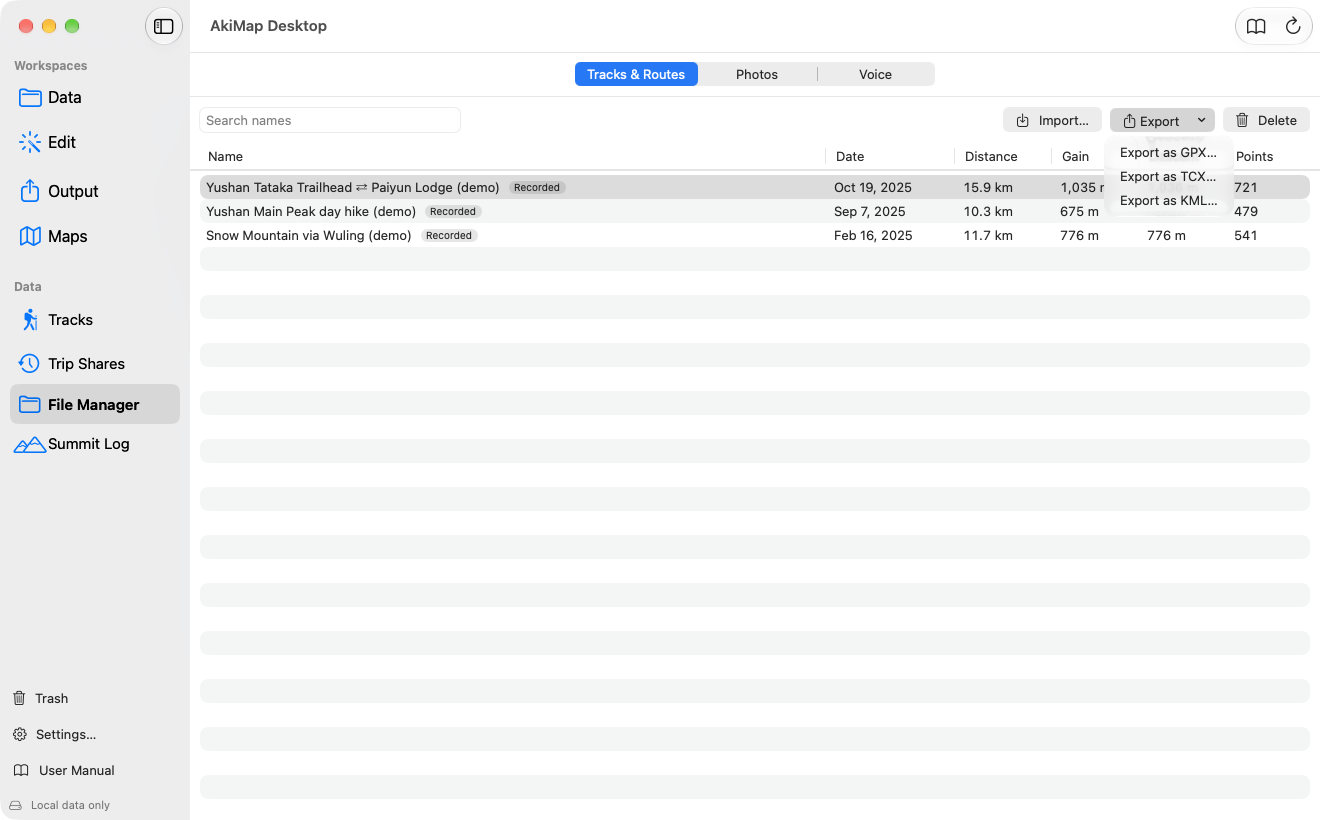
Select one or more rows (⌘ or ⇧ for several), then choose GPX, TCX or KML from the Export menu.
Double-click a row, or right-click it, to rename it (one at a time); right-click also duplicates, exports to a specific format or moves it to the Trash.
Photos
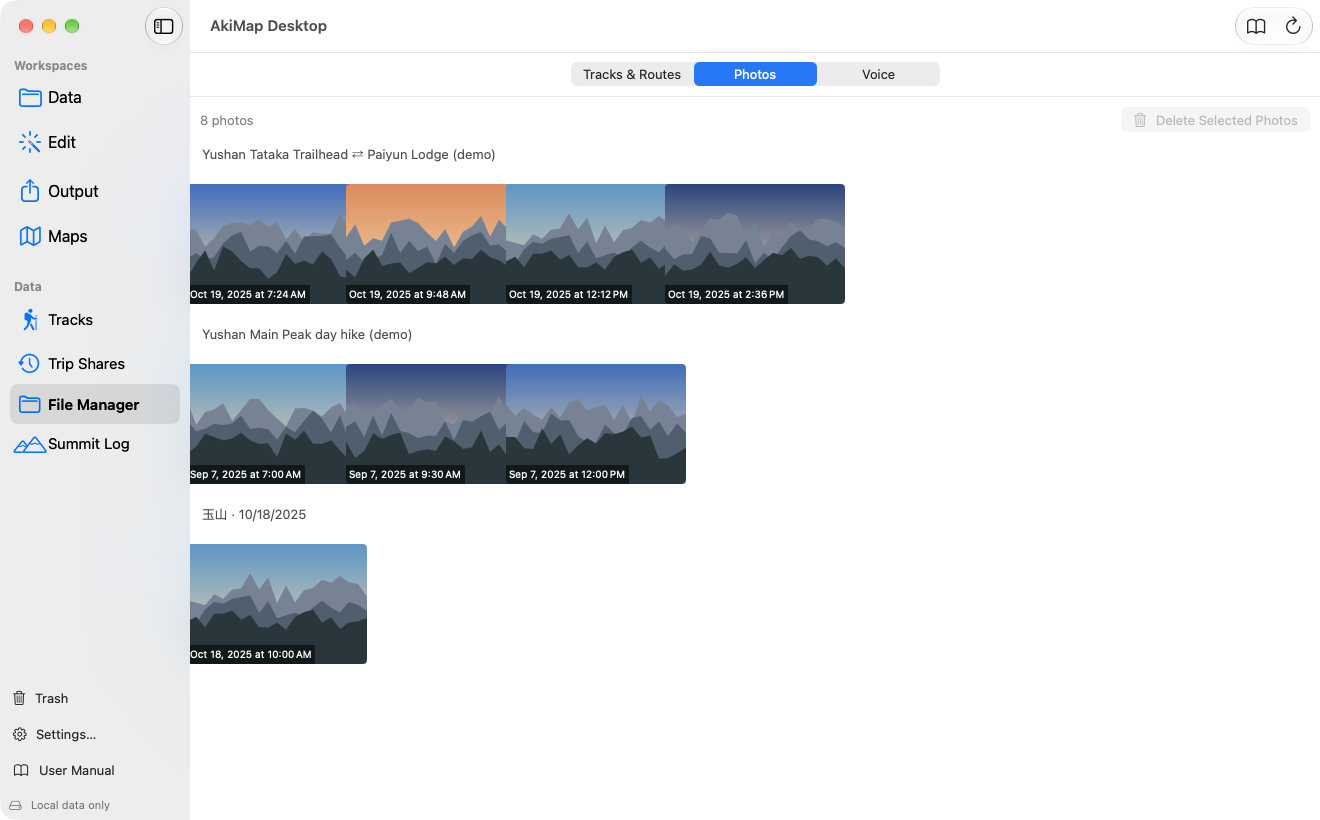
The Photos tab groups every photo by source: one group per track or route, plus one per summit record, with the capture time under each thumbnail. Select several and choose “Delete Selected Photos” to move them to the Trash for 30 days; right-click a photo to duplicate it or move it to the Trash.
Voice Memos
Screens may vary by app version. See Support and FAQ if you need help. Support