
Chapter 13 of 171 topics
Settings and Output
- Choose Output ▸ Print Map and pick a route.
- Under Paper choose A4 or A3 and landscape or portrait.
- Under Scale choose 1:10,000, 1:25,000 or 1:50,000; pick the basemap (Standard Map or Satellite Imagery); “Adjacent sheet overlap” sets how many millimeters neighbouring sheets share.
- The panel shows how many sheets are needed and roughly how many kilometers each covers.
- Click “Generate Map”, preview, then click “Save PDF…”.
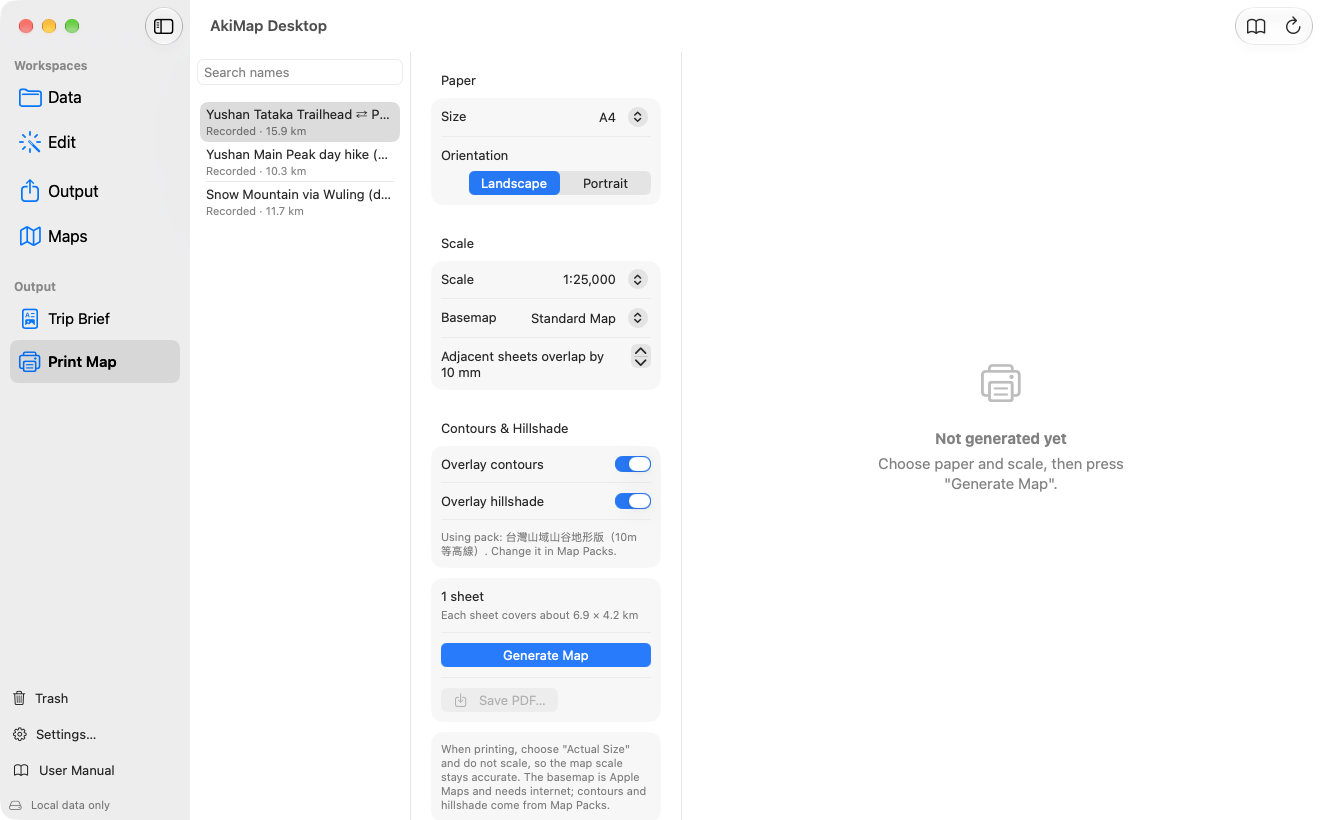
- 1Paper size and orientation.
- 2Scale, basemap and overlap.
- 3Contours and hillshade.
- 4Sheet count and coverage.
- 5Generate the map.
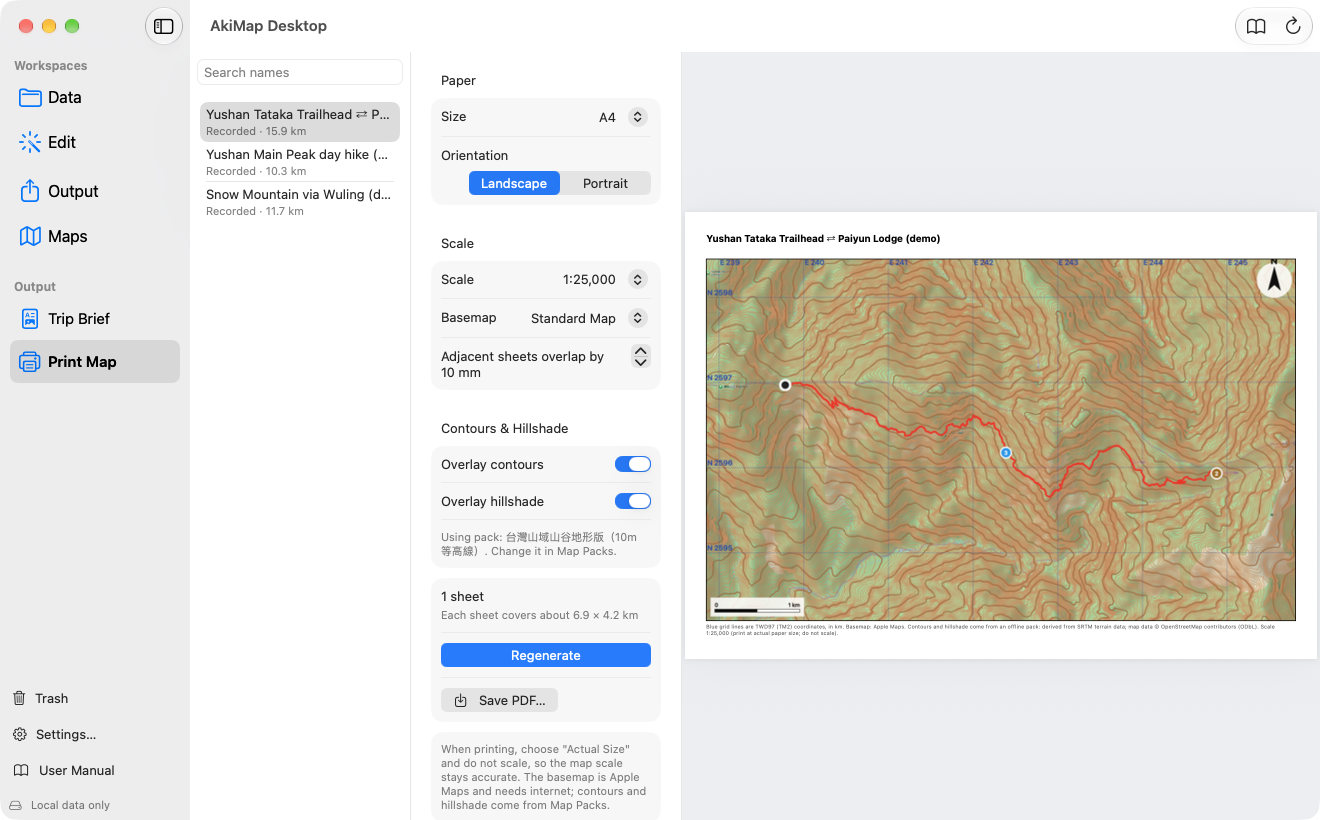
- A route can be split into at most 12 sheets; beyond that you are asked to use a smaller scale or larger paper.
- With several sheets, the PDF starts with an index page showing the number and position of each sheet (north to south, west to east).
- For routes in Taiwan the map carries a blue TWD97 (TM2) grid in kilometers.
Screens may vary by app version. See Support and FAQ if you need help. Support