
Chapter 3 of 171 topics
Viewing a Share Summary
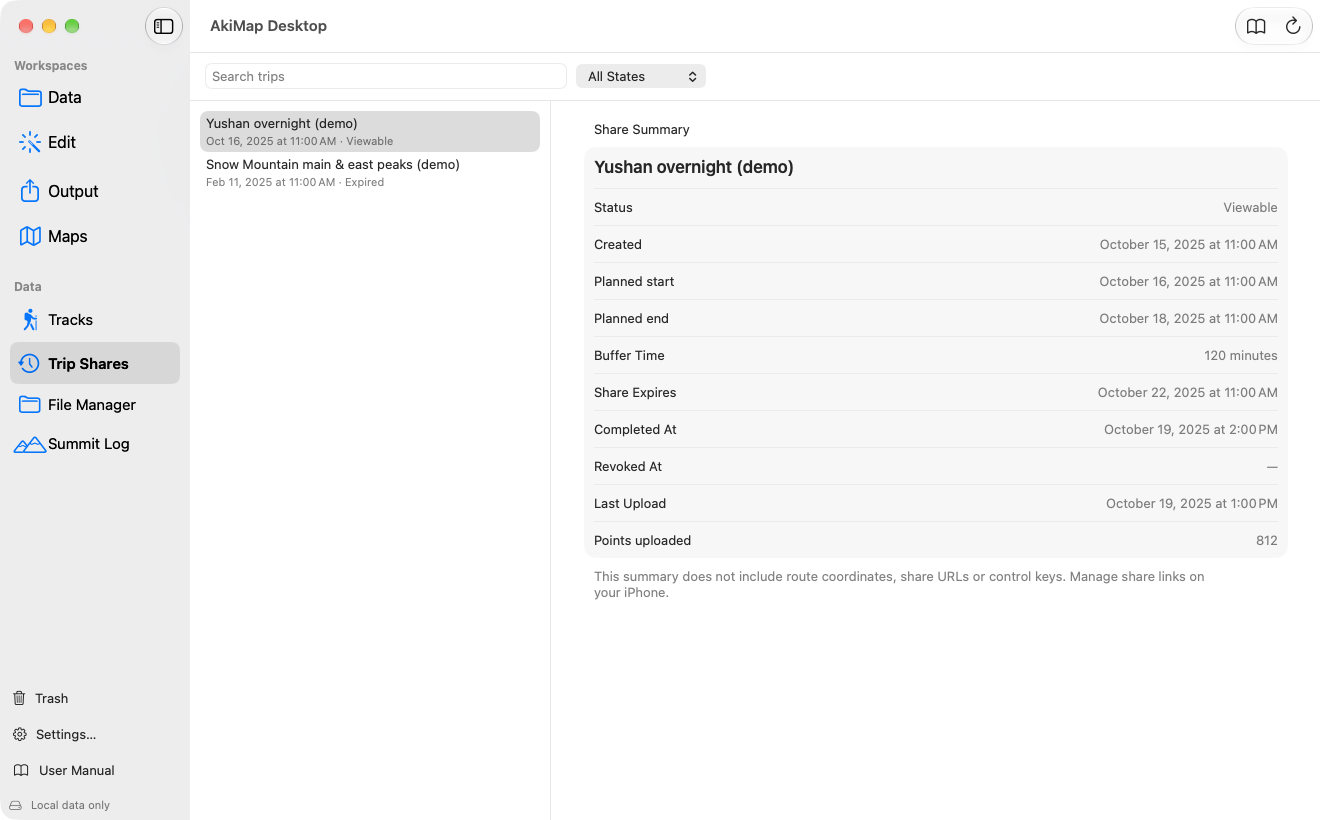
- Choose Data ▸ Trip Shares.
- Search by name at the top of the list, or use the “All States” menu to show one state.
- Click a record to see its creation time, planned start and end, buffer time, expiry and uploaded point count.
| State | Meaning |
|---|---|
| Viewable | The share link is active and others can see your position. |
| Pending revocation | Revocation was requested and waits for the iPhone to get online. |
| Revoked | You stopped sharing. |
| Expired | The share period ended and the link is no longer valid. |
Viewable
Meaning:The share link is active and others can see your position.
Pending revocation
Meaning:Revocation was requested and waits for the iPhone to get online.
Revoked
Meaning:You stopped sharing.
Expired
Meaning:The share period ended and the link is no longer valid.
Screens may vary by app version. See Support and FAQ if you need help. Support