
Chapter 16 of 171 topics
The Tabs
| Tab | What it holds |
|---|---|
| General | The feature shown on launch, interface language and text size. |
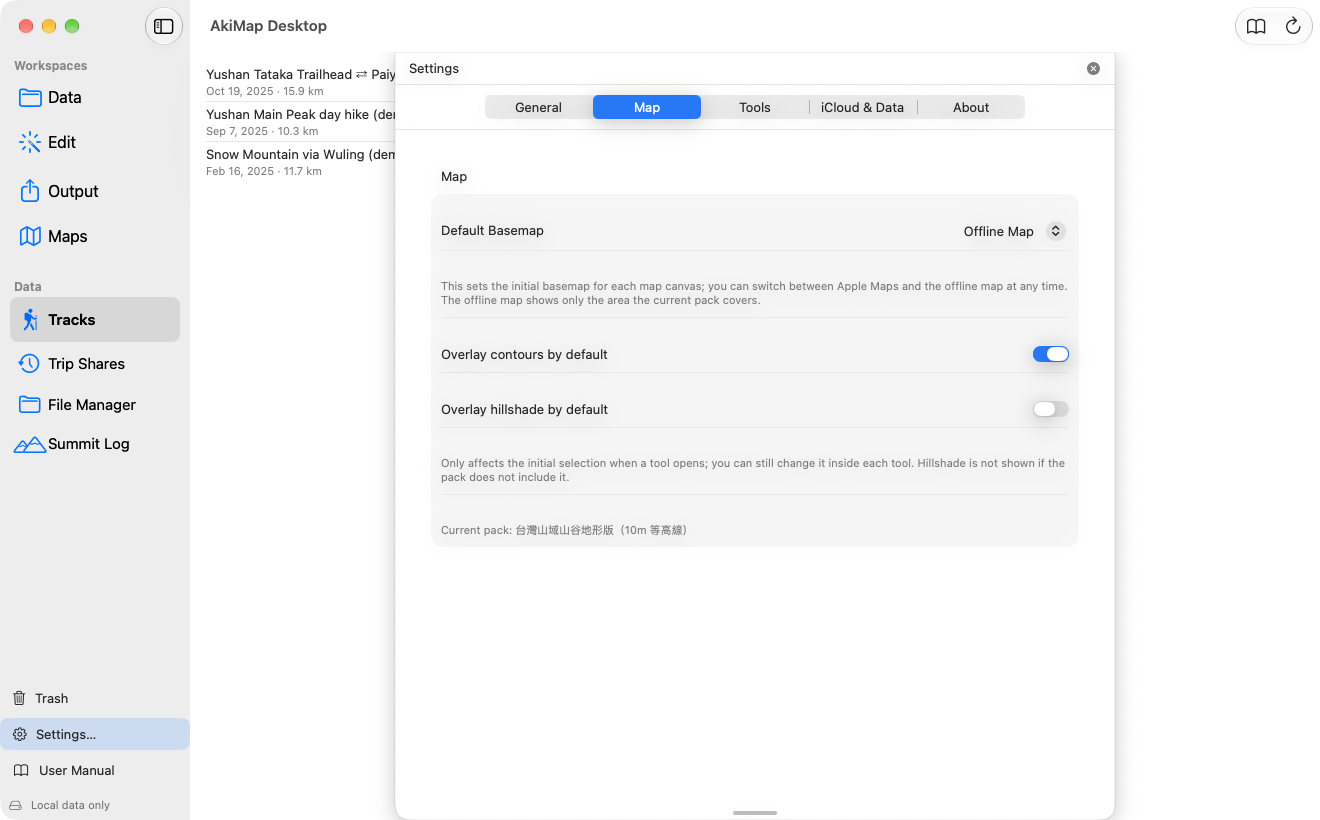
| Map | The default basemap (Apple Maps / Offline Map), whether contours and hillshade are on by default, and the pack in use. |
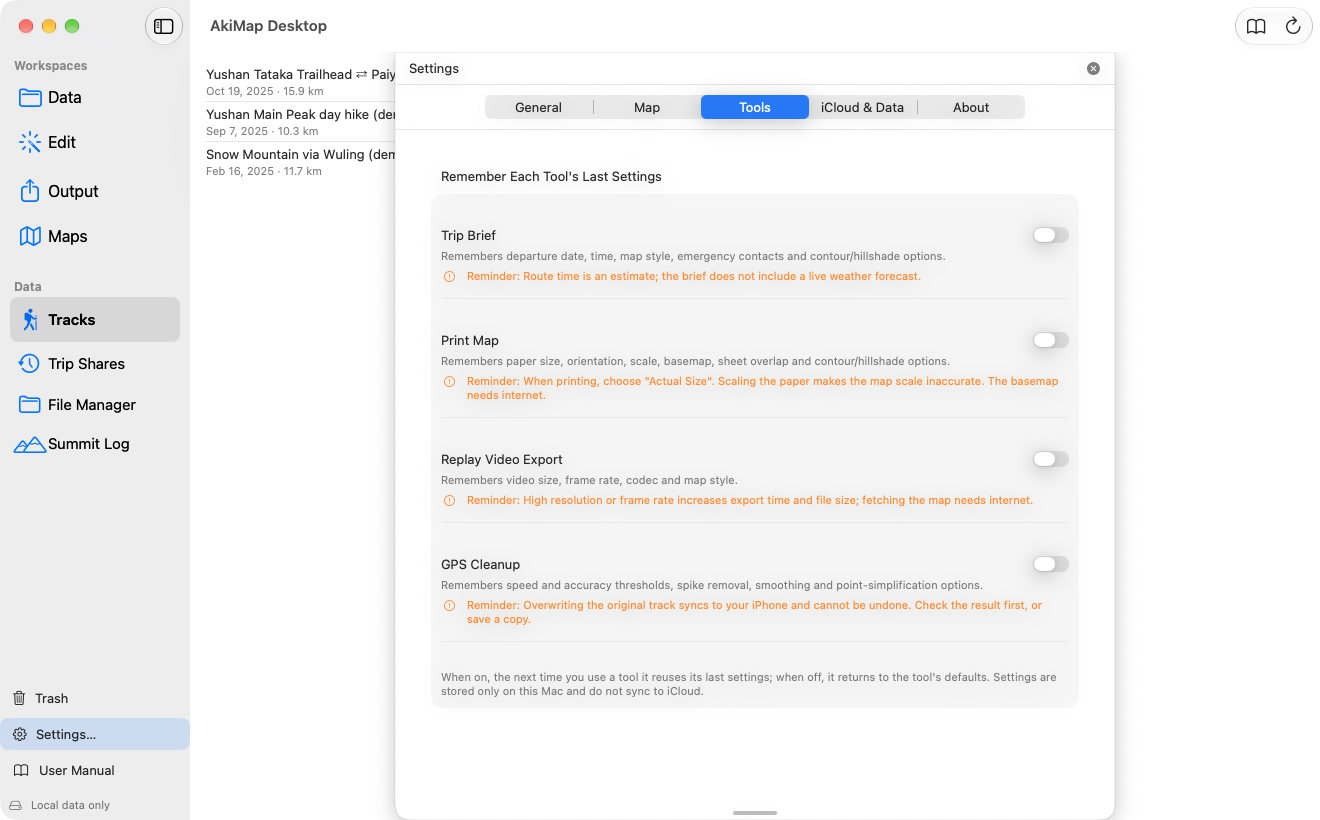
| Tools | Per tool (Trip Brief, Print Map, Replay Video Export, GPS Cleanup) whether to remember the last settings. |
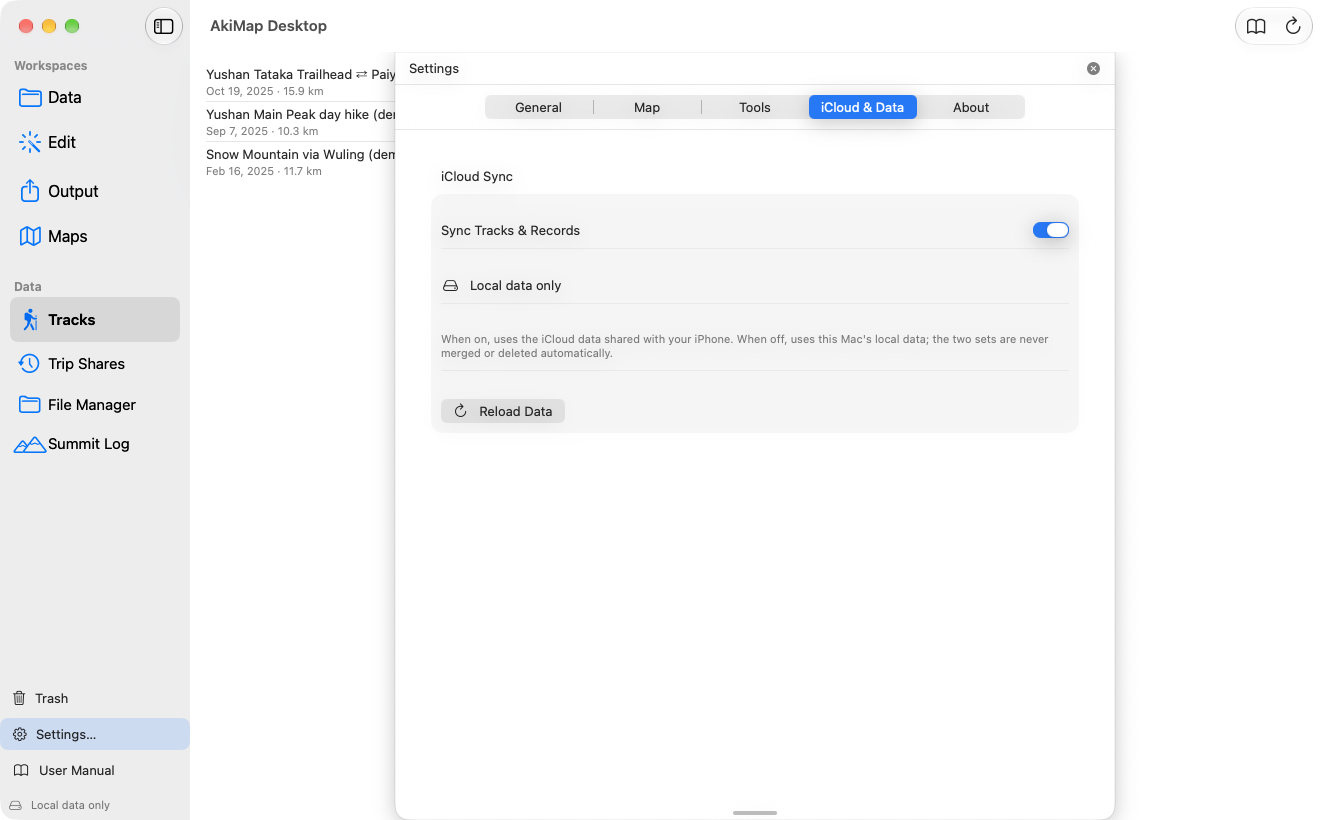
| iCloud & Data | Whether to sync tracks and records, the sync status and pending file count, and Reload Data. |
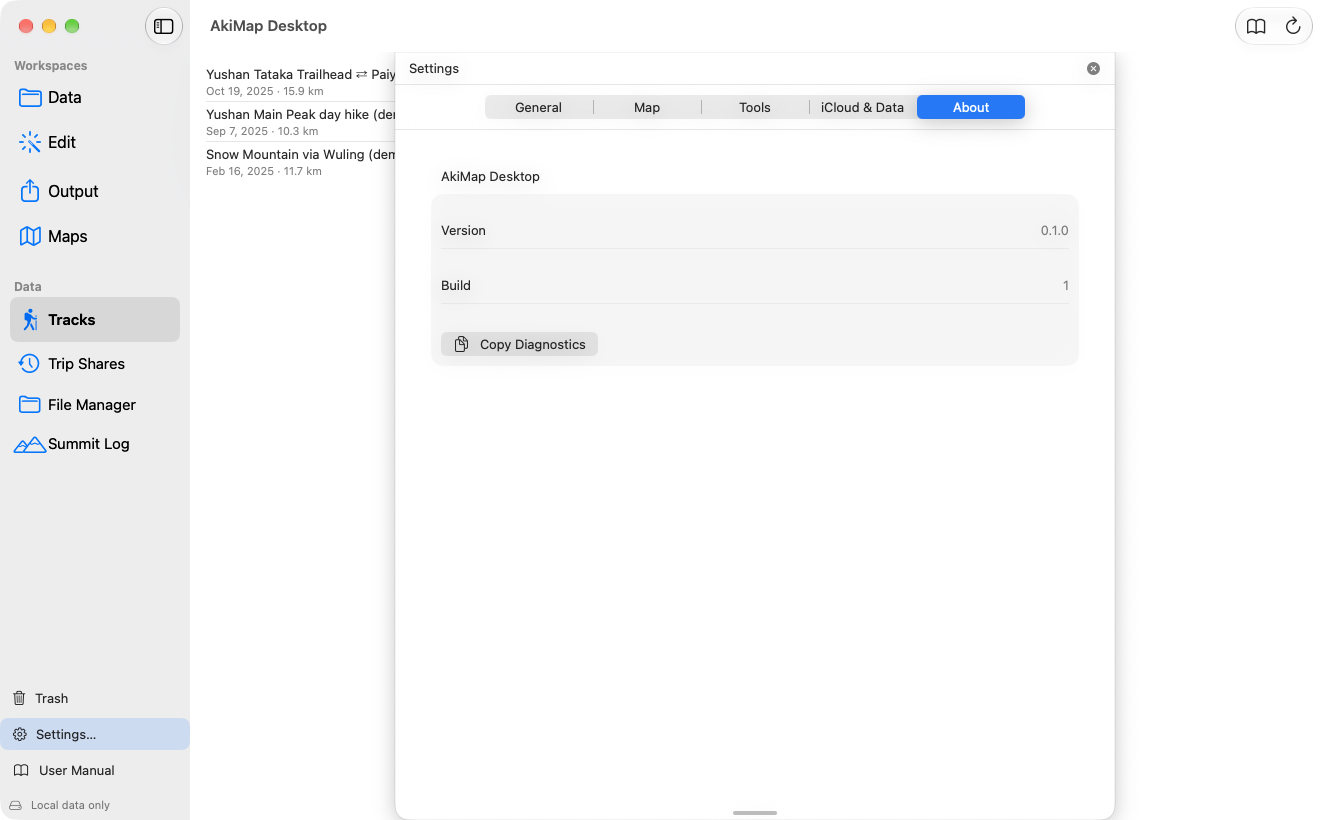
| About | Version and build number, and “Copy Diagnostics” to paste when reporting a problem. |
General
What it holds:The feature shown on launch, interface language and text size.
Map
What it holds:The default basemap (Apple Maps / Offline Map), whether contours and hillshade are on by default, and the pack in use.
Tools
What it holds:Per tool (Trip Brief, Print Map, Replay Video Export, GPS Cleanup) whether to remember the last settings.
iCloud & Data
What it holds:Whether to sync tracks and records, the sync status and pending file count, and Reload Data.
About
What it holds:Version and build number, and “Copy Diagnostics” to paste when reporting a problem.
Screens may vary by app version. See Support and FAQ if you need help. Support